Digital Wood Carver
DWC Engineering Reference Library

DWC1824

Control Box / Wiring Reference

Revision: 2.0 Document: DWC1824-CB-WR Assembly & Service Reference

System Overview

DWC1824 bench-top wiring architecture using the integrated PlanetCNC MK3DRV controller platform.

Machine Compatibility

DWC1824 wiring configuration

ItemAssignmentNotes
MachineDWC1824Bench-top Digital Wood Carver CNC
ControllerPlanetCNC MK3DRVIntegrated driver controller platform
Main PSUMean Well LRS-350-2424VDC / 14.6A output
Relay Module4-channel relay moduleK3 = Vacuum, K4 = Router
Logic SupplyLM2596 Buck Converter24VDC input, 5VDC output to relay module
Rear Rotary Port4-pin aviation connectorConnects to MK3DRV Motor 4 / A-axis

Control Box Architecture

Simplified power and control flow

Main Power CordFeeds fused power switch and 24V PSU
24V PSUPowers MK3DRV, cooling fan, and LM2596 input
LM2596 Buck ConverterOutputs 5VDC to relay module VCC / GND
MK3DRV ControllerIntegrated drivers, inputs, outputs, and rotary port
Secondary Power CordFeeds router and vacuum receptacles through relay K3 / K4 hot switching
DWC Standard: The DWC1824 separates machine control power from the secondary AC supply used for router and vacuum receptacles.

Internal Control Box Layout

Primary internal components used in the DWC1824 control box.

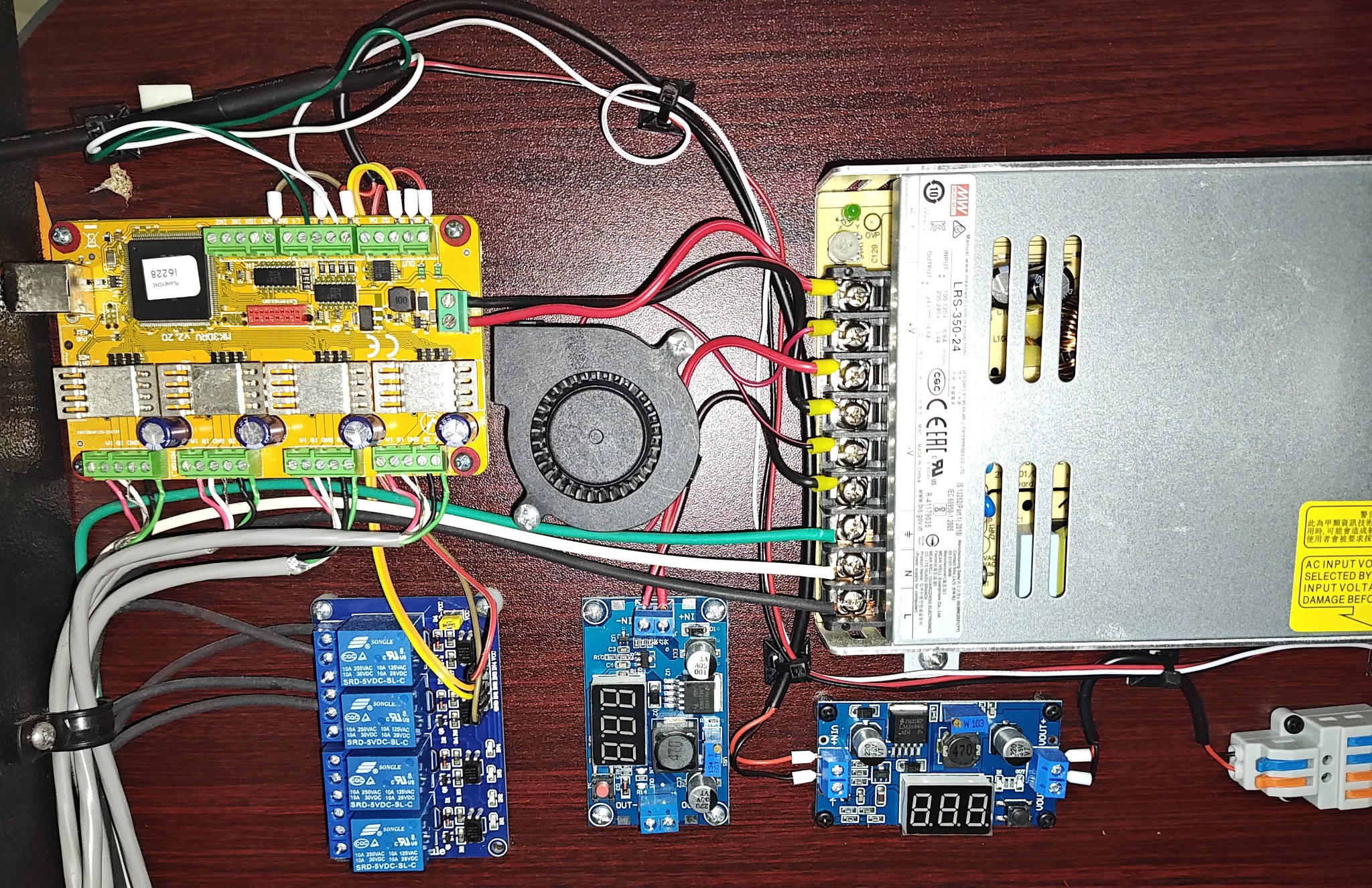
Internal Control Box Overview

MK3DRV, PSU, relay, fan, and buck converter layout

DWC1824 internal control box overview

Rear Power Panel

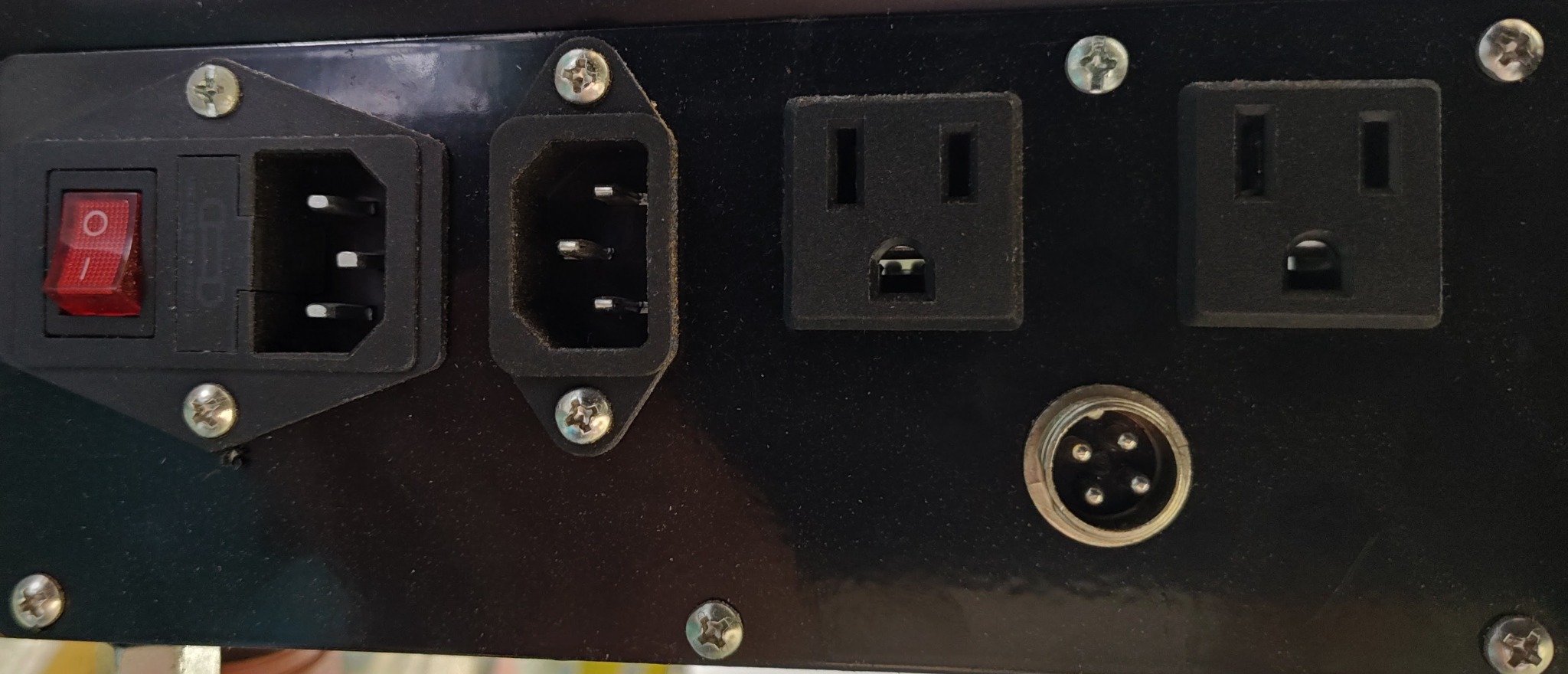
External power, outlets, and rotary connector

DWC1824 rear power panel
Rear Panel ItemFunction
Fused Power SwitchMain machine power input and switch
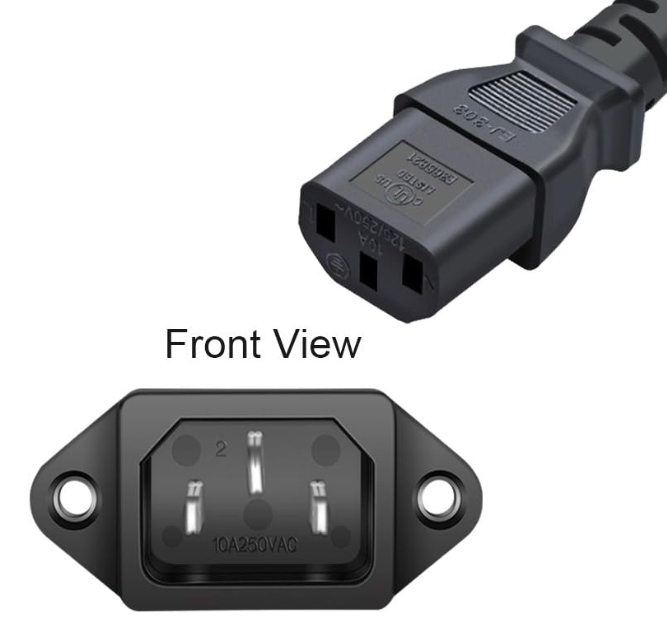
IEC InletSecondary power supply for router / vacuum receptacles
Outlet #1Router receptacle
Outlet #2Vacuum receptacle
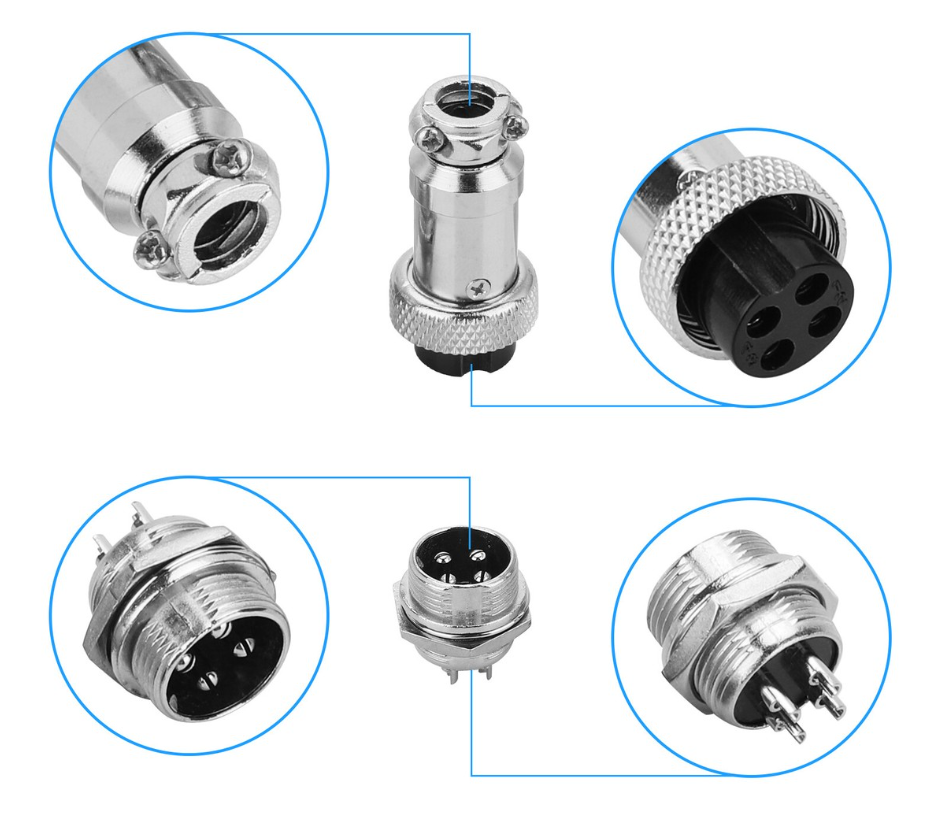
4-Pin Aviation ConnectorRotary axis attachment / A-axis

Main Power Entry

Main control power enters through the fused power switch and feeds the 24V switching power supply.

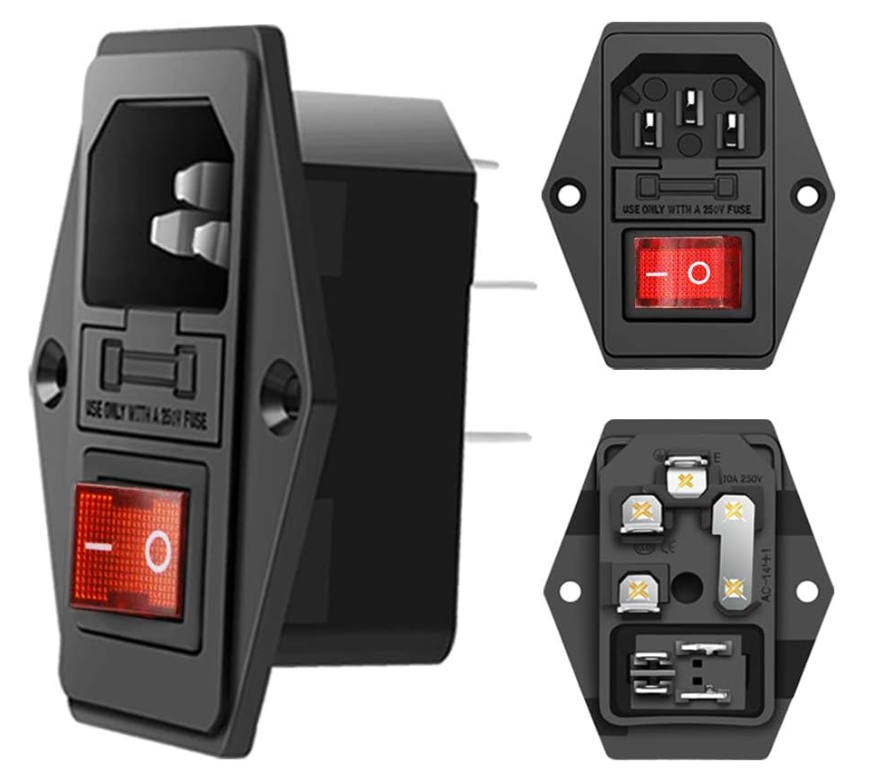
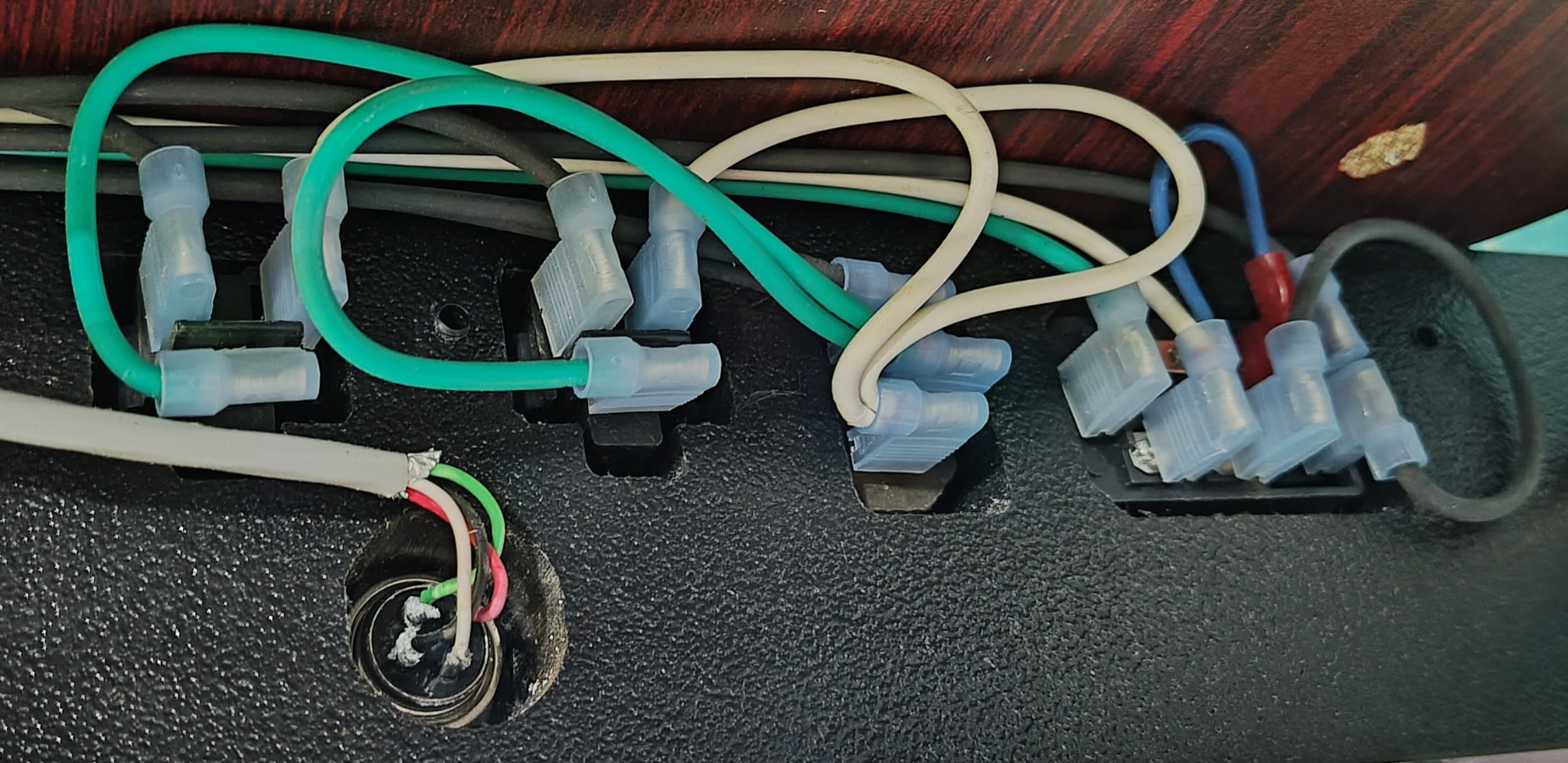
Fused Main Power Switch

Main DWC1824 control power input

DWC1824 fused power switch
WireFunctionConnection
BlackHot InMain power cord to fused power switch
WhiteNeutral InMain power cord to fused power switch
GreenEarth GroundMain power cord ground to switch ground
Blue JumperNeutral jumperNeutral-in to neutral-out piggy-back

Switch Output to 24V PSU

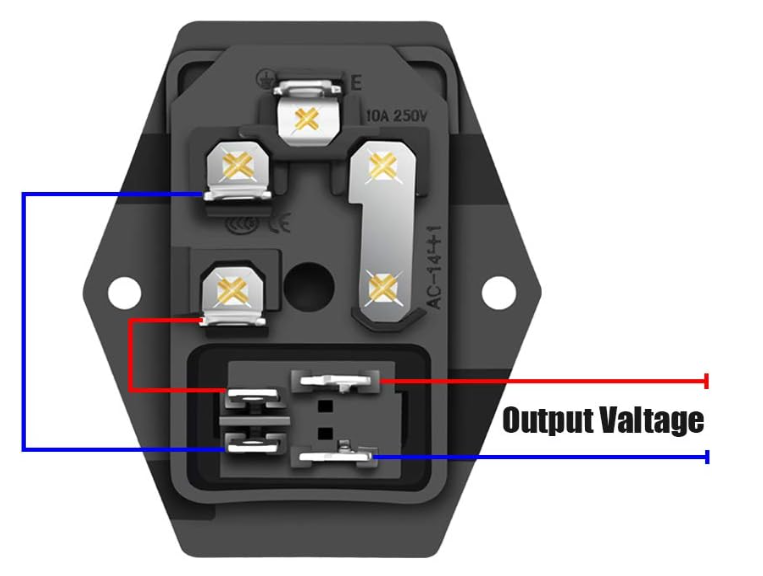
Main machine power distribution

Fused power switch rear terminal reference
Output WireDestination
Black 14 AWG Hot-Out24V PSU L terminal
White 14 AWG Neutral-Out24V PSU N terminal
Green 14 AWG Ground-Out24V PSU GND terminal
Power Cord: 4.9 ft pure copper, 14 AWG, 10A current-rated cord.

Secondary Power Input

Router and vacuum receptacle supply

DWC1824 secondary IEC inlet
ConductorDestination
Black Hot x2Relay module K3 common and K4 common
White Neutral x2Outlet #1 neutral and Outlet #2 neutral
Green Ground x2Outlet #1 ground and Outlet #2 ground

24V Switching Power Supply

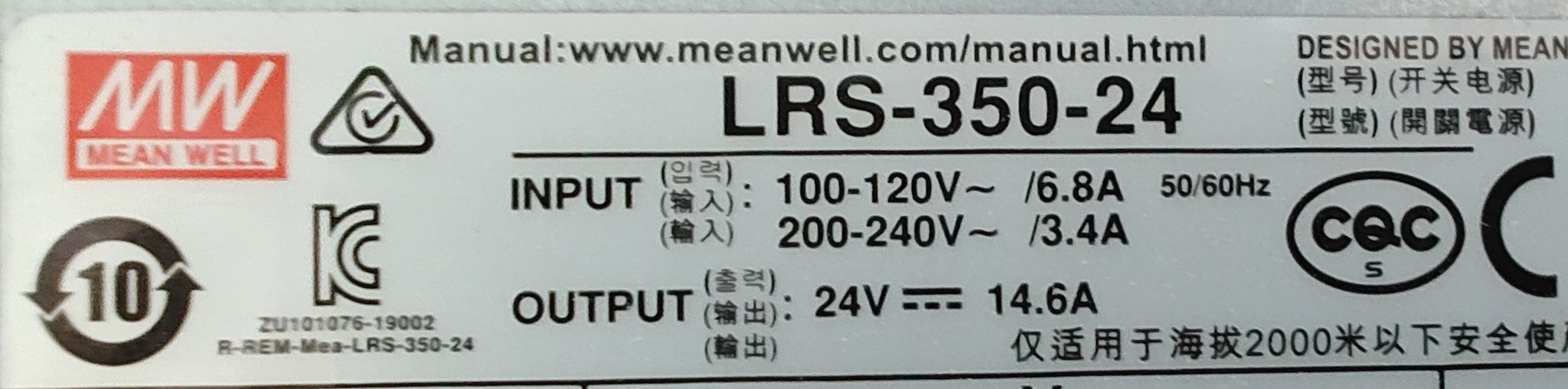
Mean Well LRS-350-24 power distribution for the MK3DRV, fan, and 5V relay logic converter.

Mean Well LRS-350-24

24VDC / 14.6A output

Mean Well LRS-350-24 power supply label
TerminalConnection
LBlack 14 AWG from fused power switch hot-out
NWhite 14 AWG from fused power switch neutral-out
GNDGreen 14 AWG from fused power switch ground-out
V−Cooling fan black, MK3DRV power negative, LM2596 IN−
V+Cooling fan red, MK3DRV power positive, LM2596 IN+
V− → GNDSmall jumper wire connecting V− to GND terminal

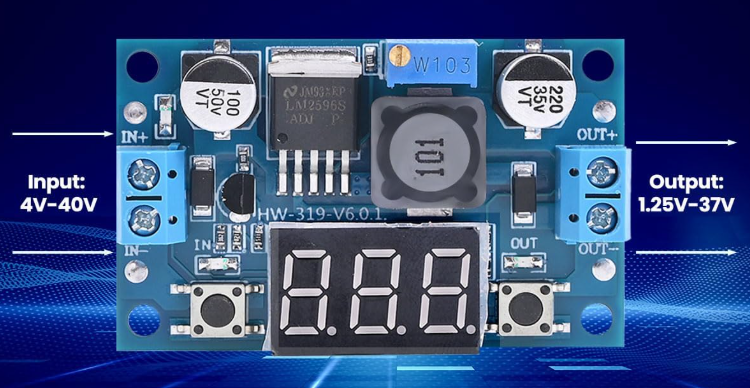
LM2596 Buck Converter

24V input / 5VDC output to relay module

LM2596 adjustable buck converter
TerminalConnection
IN+24V PSU V+ red wire
IN−24V PSU V− black wire
OUT+5VDC positive to 4-channel relay module VCC
OUT−5VDC negative to 4-channel relay module GND
Adjustment: LM2596 output is set to 5VDC for relay module logic power.

Relay Module & Router / Vacuum Outlets

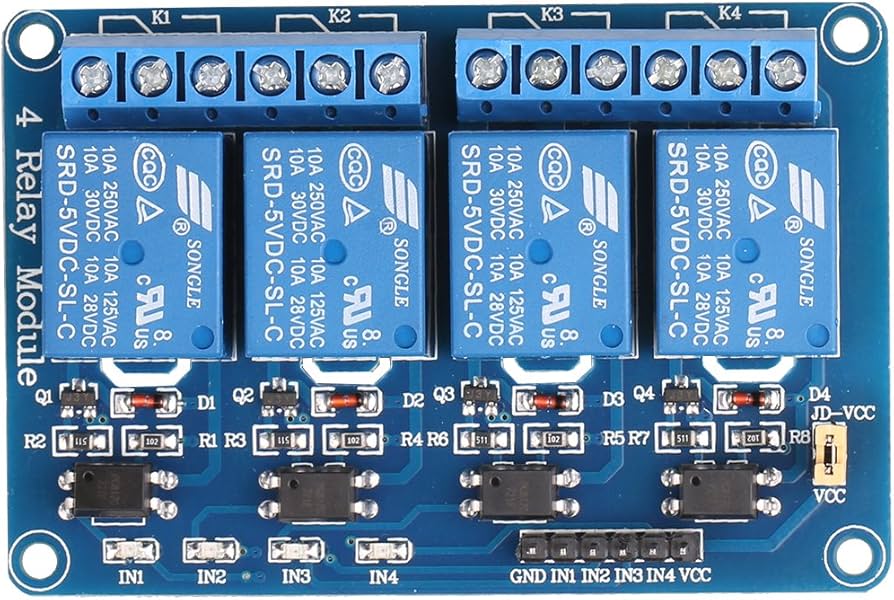
Secondary AC power is switched through relay K3 and K4 for vacuum and router receptacles.

4-Channel Relay Module

K3 vacuum / K4 router

4-channel relay module
RelayFunctionAC Wiring
K1Not used / spare
K2Not used / spare
K3VacuumCommon from secondary hot, NO to Outlet #2 hot
K4RouterCommon from secondary hot, NO to Outlet #1 hot

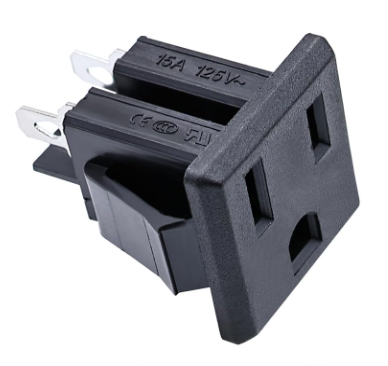
Router / Vacuum Receptacles

Secondary AC outlet wiring

DWC1824 AC receptacle
OutletHot FeedNeutral / Ground
Outlet #1
Router
Relay K4 NO terminalDirect from secondary power cord
Outlet #2
Vacuum
Relay K3 NO terminalDirect from secondary power cord
DWC Standard: Only the hot conductor is switched through the relay module. Neutral and ground bypass the relays.

Rear Panel Wiring

Secondary supply and outlet connections

DWC1824 rear power panel wiring

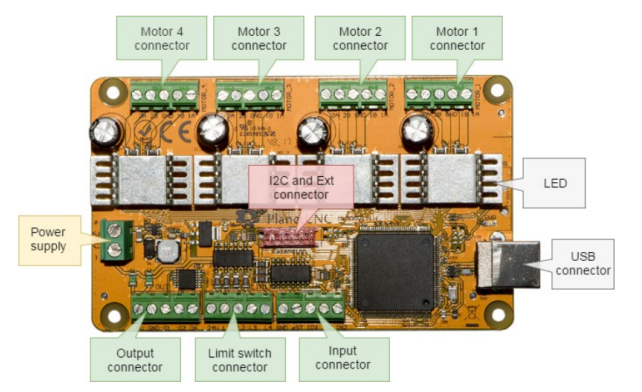
MK3DRV Controller Platform

The DWC1824 uses the PlanetCNC MK3DRV with integrated motor drivers.

MK3DRV Controller

Integrated driver controller

PlanetCNC MK3DRV controller overview
ItemConnection / Function
Power +24V PSU V+ to MK3DRV 8~24V positive
Power −24V PSU V− to MK3DRV 8~24V negative
Motor 1X-axis
Motor 2Y-axis
Motor 3Z-axis
Motor 4A-axis / rear rotary connector

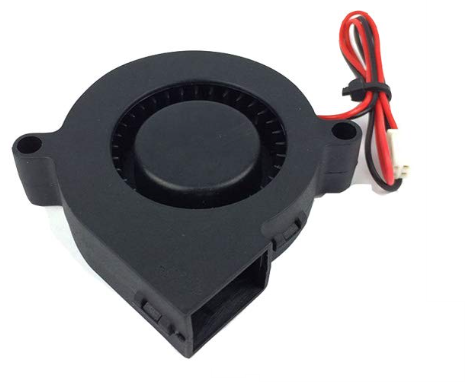
Cooling Fan

MK3DRV driver cooling

MK3DRV blower cooling fan
WireConnection
Red24V PSU V+
Black24V PSU V−
The blower fan provides airflow across the MK3DRV integrated driver heatsinks.

Limit Switch Kit Note

Optional DWC1824 configuration

DWC1824 internal wiring with limit switch kit
Reference Note: DWC1824 limit switches are optional. Limit switch wiring should be verified against the dedicated MK3DRV Controller Reference and any machine-specific limit switch kit documentation.

Rear Rotary Connector

The rear 4-pin aviation connector is used for the rotary axis attachment and connects to MK3DRV Motor 4.

4-Pin Aviation Connector

A-axis / rotary attachment

4-pin aviation connector
Connector PinWire ColorMK3DRV Motor 4 Terminal
Pin 1RedA1
Pin 2WhiteB1
Pin 3Black2B
Pin 4Green2A

Rear Panel Location

Rotary connector on DWC1824 rear panel

Rear rotary connector on DWC1824 panel

Z Touch Sensor

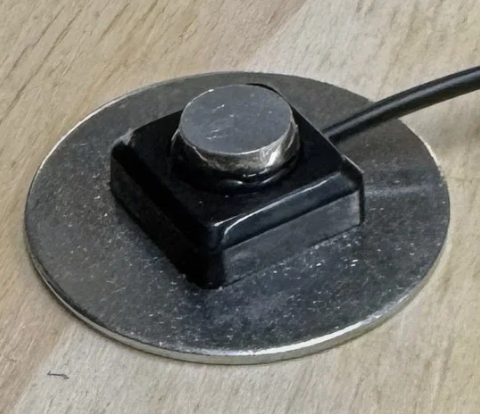
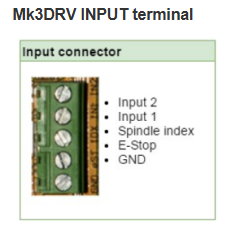
The DWC1824 Z touch sensor connects to MK3DRV Input IN2 and Input GND.

Z Touch Plate

Input IN2 / GND probe circuit

DWC Z touch sensor
Touch Sensor LeadMK3DRV Input Terminal
Lead 1Input IN2
Lead 2Input GND
Polarity: It does not matter which touch sensor wire connects to IN2 or GND.

Input Reference

Probe input on MK3DRV

MK3DRV input terminal
Service Check: Verify the probe input state in PlanetCNC / OmniControl diagnostics before using the Z touch sensor to set material height.

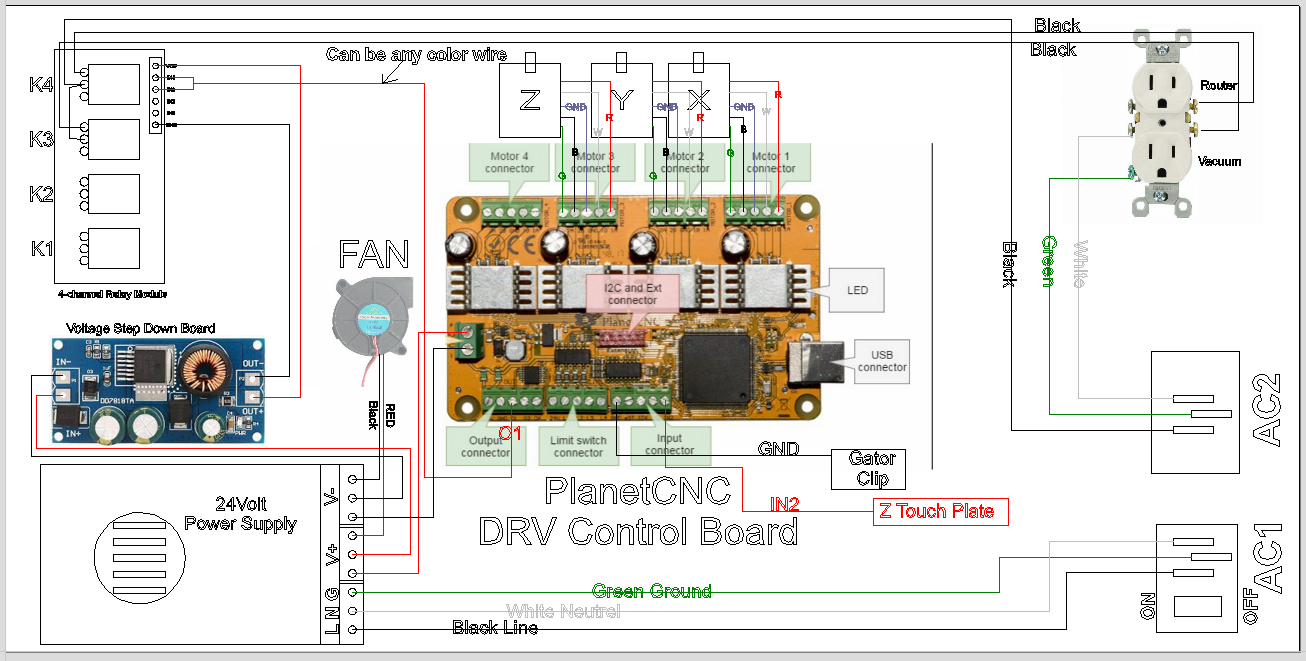
Legacy Wiring Diagram

Original DWC1824 wiring diagram retained as historical reference.

DWC1824 Legacy Wiring Diagram

Use the v2 sections above as the maintained service reference

DWC1824 legacy wiring diagram
Archive Note: This diagram is retained for reference. The sections above document the maintained v2 wiring reference in a cleaner, technician-friendly format.

Quick Troubleshooting Guide

Common DWC1824 control box checks.

No Machine Power

  • Check main power cord.
  • Verify fused switch is ON.
  • Check fuse inside fused switch module.
  • Verify AC input at 24V PSU L/N.

No Axis Motion

  • Verify 24V PSU output.
  • Check MK3DRV power input.
  • Check motor terminals on MK3DRV.
  • Verify controller connection to PC.

Router / Vacuum Not Switching

  • Check secondary power cord.
  • Verify 5V output from LM2596.
  • Check relay module VCC / GND.
  • Verify K3 / K4 output wiring.

Z Touch Not Detected

  • Verify touch sensor is connected to IN2 and GND.
  • Check probe state in diagnostics.
  • Inspect alligator clip and plate contact.
  • Confirm tool is electrically contacting the clip circuit.
Disconnect power before servicing. Verify AC wiring, relay wiring, grounding, and DC power supply connections before applying power.